Best VPN for iPhone – Buy Fast & Secure iOS VPN
Why Choosing the Best VPN for iPhone Matters in 2026
In 2026, the iPhone is no longer just a smartphone—it is a central hub for personal identity, financial activity, communication, and digital privacy. From online banking and cryptocurrency wallets to business emails, cloud storage, and social platforms, iOS devices now handle extremely sensitive data on a daily basis. This shift has made the question of choosing the best VPN for iPhone more important than ever before.
Apple’s iOS is widely recognized for its strong security architecture, strict App Store policies, and advanced sandboxing mechanisms. However, operating system security alone does not protect users from network-level threats. Internet Service Providers, public Wi-Fi operators, tracking networks, and regional firewalls can still monitor, restrict, or manipulate traffic. This is where a fast and secure iOS VPN becomes a critical layer of protection rather than an optional add-on.
Our V2Ray VPN Plans
- Multiple Protocols Support Enjoy VLESS, Vmess, gRPC, HTTP/2, Shadowsocks, and WireGuard for optimal security and speed.
- 40+ Countries Supported Access servers in over 40 countries worldwide.
- Personal and Reseller Plans Customized plans for individuals and resellers.
- Customizable Data and Duration Add extra data and choose from 1, 3, 6, or 12-month plans.
One of the biggest reasons users search for “Buy VPN for iPhone” today is privacy erosion. Even on iOS, user IP addresses, DNS queries, browsing metadata, and app traffic can be logged or analyzed when transmitted over unsecured or semi-trusted networks. A high-quality VPN encrypts this traffic end-to-end, preventing third parties from profiling user behavior or linking online activity to a real-world identity.
Speed is another decisive factor in 2026. Modern iPhone users expect seamless performance for video calls, cloud apps, streaming services, and real-time messaging. A poorly optimized VPN can introduce latency, packet loss, and battery drain. This is why choosing a fast VPN for iPhone, built specifically to work within iOS network constraints, is essential. The best iOS VPN services are designed to balance encryption strength with performance efficiency, ensuring security without sacrificing user experience.
There is also a growing demand for VPNs that can reliably bypass network restrictions while remaining stable on iOS. Whether users are dealing with geo-blocked content, restrictive networks, or unreliable mobile carriers, a premium VPN for iPhone provides consistent access without frequent disconnections or detection issues. This reliability has become especially important as Apple tightens background networking rules and power management policies with each new iOS release.
Another key reason this topic matters in 2026 is trust. Not all VPN providers are equal. Many services advertise “free” or “unlimited” VPN access for iOS, but often monetize user data through logging, third-party tracking, or aggressive bandwidth limitations. Understanding how to buy a secure VPN for iPhone—one that follows a strict no-logs policy, uses modern encryption, and operates under privacy-friendly jurisdictions—is crucial for long-term digital safety.
How VPN Works on iPhone (iOS VPN Architecture Explained)
To choose the best VPN for iPhone, it’s essential to understand how VPN technology actually operates within the iOS ecosystem. Unlike desktop operating systems, iOS uses a tightly controlled networking model designed to maximize security, battery efficiency, and app isolation. This means VPN behavior on iPhone is fundamentally different from VPN implementations on Windows or Android—and only providers that properly integrate with iOS can deliver both speed and reliability.
At the core of iOS VPN functionality is Apple’s Network Extension framework. This framework allows approved VPN apps to create an encrypted tunnel between the iPhone and a remote VPN server without granting the app unrestricted system access. When a VPN is enabled on iOS, all eligible network traffic is routed through this secure tunnel before it reaches the internet. This process effectively hides the user’s real IP address, encrypts transmitted data, and prevents external entities from inspecting network packets.
From a technical perspective, when you activate a VPN on iPhone, three key processes occur simultaneously. First, iOS establishes a virtual network interface that intercepts outbound traffic. Second, this traffic is encrypted using a secure cryptographic protocol such as WireGuard or IKEv2. Third, the encrypted packets are transmitted to the VPN server, where they are decrypted and forwarded to their final destination. Incoming responses follow the same path in reverse, remaining encrypted until they reach the device.
One critical aspect of how VPN works on iOS is per-app and system-wide routing control. iOS allows VPNs to operate either at the system level—covering all apps and services—or selectively, depending on configuration. High-end VPNs for iPhone take advantage of this capability to implement features such as split tunneling, allowing certain trusted apps to bypass the VPN while keeping sensitive traffic encrypted. This level of control is especially valuable for users who rely on banking apps, corporate services, or region-locked platforms.
Another important element is how iOS handles background connections. Apple aggressively limits background activity to preserve battery life and system performance. Poorly optimized VPN apps may disconnect when the device sleeps, switches networks, or moves between Wi-Fi and mobile data. The best iOS VPN services are engineered to maintain tunnel persistence across these transitions by using lightweight protocols and reconnect logic optimized for iOS power management rules.
DNS handling is also tightly integrated into the iOS VPN architecture. Without a properly configured VPN, DNS queries can leak outside the encrypted tunnel, exposing browsing behavior even if traffic is encrypted. Premium VPNs for iPhone implement secure DNS routing or encrypted DNS resolvers to ensure that domain lookups remain private and consistent with the user’s masked IP address. This is a crucial but often overlooked factor when evaluating VPN security on iOS.
Finally, Apple enforces strict App Store policies that prohibit low-level system manipulation. As a result, VPN providers cannot rely on intrusive drivers or kernel modules. While this limits aggressive optimization tactics, it also creates a more secure environment for users. VPNs that perform well on iPhone do so by working with iOS—not against it—using officially supported APIs and protocols designed for stability and privacy.
Key Benefits of Using a VPN on iPhone
Using a VPN on iPhone delivers far more than basic IP masking. In 2026, the best VPN for iPhone acts as a comprehensive privacy, security, and performance layer that complements iOS’s built-in protections. Understanding these benefits helps users make informed decisions when they plan to buy a fast and secure iOS VPN rather than relying on generic or free solutions.
Enhanced privacy and anonymity are the primary reasons users adopt a VPN on iOS. Even with Apple’s privacy-forward design, network-level metadata—such as IP address, location, and DNS queries—can still be observed by ISPs, Wi-Fi operators, and tracking infrastructures. A premium VPN for iPhone encrypts all eligible traffic and replaces the real IP with a server address, making it significantly harder to correlate online activity with a real identity. This is especially important for users who manage sensitive accounts, communicate frequently, or travel between regions.
Strong encryption on public and mobile networks is another critical benefit. Public Wi-Fi hotspots in cafes, airports, and hotels remain high-risk environments despite HTTPS adoption. Attackers can still exploit weak configurations, captive portals, or rogue access points. A secure iOS VPN establishes an encrypted tunnel (typically using modern standards like WireGuard or IKEv2), ensuring that data remains unreadable even if the underlying network is compromised. This protection extends seamlessly to cellular networks, which are not immune to interception or traffic shaping.
Bypassing restrictions and maintaining reliable access has become a major use case for VPNs on iPhone. Network blocks, regional content limitations, and throttling policies can affect everyday apps, streaming services, and cloud platforms. A high-quality VPN for iOS allows users to route traffic through stable global servers, restoring access without frequent disconnections. For many users, this reliability—not just access—is the deciding factor when choosing the best VPN to buy for iPhone.
Improved security against profiling and tracking is another often overlooked advantage. Many apps and websites build behavioral profiles based on IP reputation and network fingerprints. When traffic is consistently routed through a secure VPN, it becomes far more difficult to link sessions across different services. Combined with iOS privacy features, a no-logs VPN for iPhone significantly reduces exposure to cross-app and cross-site tracking.
Consistent performance for modern iPhone usage is also a key benefit when the VPN is properly optimized. Contrary to outdated assumptions, a fast VPN for iPhone can actually improve stability on congested or poorly routed networks. By selecting optimized routes and avoiding ISP throttling, premium VPN services can deliver smoother video calls, faster page loads, and more consistent streaming—without excessive battery drain.
iPhone VPN Security Standards: What Really Protects Your Data
When users search for the best VPN for iPhone, security is usually the first promise they see—but also the most misunderstood one. Not all VPNs offer the same level of protection on iOS, and many marketing claims hide weak implementations behind buzzwords. To truly understand what protects your data on an iPhone, it’s essential to look at the concrete security standards that a fast and secure iOS VPN must meet in 2026.
The foundation of VPN security on iPhone is strong, modern encryption. Today, industry-grade VPNs rely on AES-256-GCM or ChaCha20-Poly1305 to encrypt traffic. These algorithms are considered cryptographically secure against current computational capabilities and are widely adopted in banking, government, and enterprise environments. On iOS, ChaCha20 is particularly important because it performs efficiently on mobile CPUs, delivering high security without excessive battery or performance costs. A VPN that still relies on outdated ciphers or weak configurations is not suitable for modern iPhone usage.
Equally critical is Perfect Forward Secrecy (PFS). This mechanism ensures that encryption keys are frequently rotated and never reused across sessions. Even if a key were somehow compromised, past and future traffic would remain unreadable. For iPhone users who frequently switch networks—moving between Wi-Fi and mobile data—PFS is essential to maintaining continuous protection. Any VPN marketed as secure for iOS must support PFS at the protocol level.
Another decisive factor is the VPN protocol itself. Security is not only about encryption strength but also about how connections are negotiated and maintained. Protocols like WireGuard and IKEv2 are currently the gold standard for iOS VPNs. They offer secure key exchange, fast reconnection, and minimal attack surface. By contrast, poorly implemented or legacy protocols can expose users to handshake vulnerabilities, DNS leaks, or unstable tunnels—especially under iOS background restrictions.
A commonly overlooked but extremely important standard is DNS security. Even if traffic is encrypted, unprotected DNS queries can reveal browsing behavior, app usage, and location patterns. The best VPNs for iPhone route DNS requests through encrypted resolvers or private DNS servers inside the VPN tunnel. Without this protection, iOS users may unknowingly leak sensitive metadata despite having an active VPN connection.
No-logs policy and jurisdiction are just as important as technical encryption. A VPN can use perfect cryptography and still compromise user privacy if it stores connection logs, IP addresses, or usage metadata. A trustworthy iOS VPN must clearly state a strict no-logs policy and operate under a legal framework that does not mandate data retention or secret surveillance orders. In 2026, transparency reports and third-party audits are strong indicators that a VPN’s security claims can be trusted.
Fast VPN for iPhone: What Affects Speed on iOS Devices
Speed is one of the most critical factors when selecting the best VPN for iPhone, yet it is also one of the most misunderstood. Many users assume that any VPN will automatically slow down their connection, but in reality, VPN performance on iOS depends on a combination of technical, network, and device-level factors. A properly optimized fast iOS VPN can deliver smooth performance while maintaining strong security.
One of the primary elements affecting VPN speed on iPhone is server distance and routing quality. When you connect to a VPN server, your traffic must travel from your device to that server before reaching its final destination. The closer and better optimized the server is, the lower the latency and packet loss. Premium VPN providers maintain geographically distributed, high-capacity servers specifically tuned for mobile users, ensuring fast connections even during peak hours.
The VPN protocol in use plays an equally important role. Modern protocols like WireGuard and IKEv2 are designed for efficiency and quick reconnections, making them ideal for iOS devices. These protocols minimize handshake overhead and reduce encryption-related latency. Older or poorly implemented protocols can introduce unnecessary delays, especially when iOS switches between Wi-Fi and cellular networks. This is why protocol choice is a defining factor for anyone looking to buy a fast VPN for iPhone.
Another often overlooked factor is iOS power and background management. Apple aggressively manages network activity to preserve battery life, which can affect VPN performance if the app is not optimized for iOS system rules. A well-engineered VPN for iPhone uses lightweight encryption, adaptive keep-alive mechanisms, and efficient reconnection logic to maintain speed without excessive battery drain. VPNs that ignore these constraints may appear slow or unstable, not because of encryption itself, but due to poor integration with iOS.
Network conditions and ISP behavior also influence VPN speed. Mobile carriers and internet providers may throttle certain types of traffic or prioritize specific routes. In some cases, using a VPN can actually improve performance by avoiding congested or poorly routed paths. High-quality iOS VPN services monitor network conditions in real time and dynamically select optimal routes to maintain consistent speed.
Encryption overhead is another concern frequently raised by users. While encryption does require processing power, modern iPhones are more than capable of handling strong cryptography efficiently. When implemented correctly, encryption adds negligible delay compared to network latency. This is why choosing a VPN that uses mobile-optimized encryption algorithms is crucial for achieving high speed without compromising security.
Finally, server load and capacity management determine real-world VPN speed. Even a nearby server can become slow if it is overcrowded. The best VPNs for iPhone actively balance user load across servers, preventing congestion and maintaining predictable performance. Transparency about server infrastructure and performance metrics is a strong indicator of a reliable VPN provider.
Why V2Ray Is the Best VPN Solution for iPhone (Advanced & Undetectable)
When discussing the best VPN for iPhone, most articles stop at traditional commercial VPNs. However, for advanced users in 2026—especially those facing aggressive network filtering, DPI (Deep Packet Inspection), or unstable connectivity—V2Ray stands in a different class altogether. On iOS, a properly implemented V2Ray setup is not just an alternative VPN; it is often the most powerful, fastest, and hardest-to-detect solution available.
Unlike conventional VPN services that rely on well-known VPN signatures, V2Ray is a modular proxy framework designed to disguise encrypted traffic as normal HTTPS or HTTP/2 traffic. This makes it exceptionally effective in environments where standard VPN protocols are throttled, blocked, or flagged. For iPhone users who need consistent access and stability, this stealth capability is a decisive advantage.
One of the strongest reasons V2Ray outperforms traditional VPNs on iOS is its protocol flexibility. With support for advanced transports such as VLESS, VMess, TCP, WebSocket, HTTP/2, and Reality-based handshakes, V2Ray allows traffic to blend seamlessly into normal internet patterns. When combined with TLS and port 443, V2Ray traffic is nearly indistinguishable from standard secure web traffic—a critical factor for reliability on restricted networks.
From a performance perspective, V2Ray is exceptionally efficient. Unlike many commercial VPN apps that route traffic through overloaded shared servers, V2Ray is typically deployed on dedicated or semi-dedicated infrastructure. This results in lower latency, higher throughput, and more predictable speed—especially important for real-time iPhone use cases such as video calls, cloud apps, and messaging. When optimized correctly, V2Ray often feels faster than traditional VPNs despite offering stronger obfuscation.
Another major advantage is connection stability on iOS. V2Ray clients for iPhone are designed to handle frequent network changes, background limitations, and power management rules imposed by iOS. When configured with modern parameters, V2Ray maintains persistent connections with minimal reconnection delays, even when switching between Wi-Fi and mobile data. This makes it ideal for users who expect always-on protection without constant drops.
Security and privacy are also where V2Ray truly excels. V2Ray does not rely on centralized logging infrastructure or shared authentication systems. When self-hosted or provided by a trusted operator, it enables a true no-logs environment, where traffic data, connection metadata, and user behavior are not stored by third parties. For privacy-conscious iPhone users, this level of control is difficult to match with commercial VPN subscriptions.
Finally, V2Ray represents a future-proof approach. As network censorship and detection methods evolve, V2Ray’s architecture allows rapid adaptation without waiting for App Store VPN providers to update their stacks. This adaptability is why many power users and professionals consider V2Ray the best long-term solution when they plan to buy a secure and reliable VPN for iPhone.
How to Buy and Deploy a V2Ray-Based VPN for iPhone Safely
Once V2Ray is identified as the best VPN solution for iPhone, the next critical step is understanding how to buy and deploy it safely and correctly. Unlike traditional one-click VPN subscriptions, V2Ray requires a more deliberate approach—but this is exactly what gives it superior performance, privacy, and resilience on iOS.
The first decision point is infrastructure ownership. V2Ray can be deployed either as a self-hosted solution or obtained through a trusted provider that delivers private configurations. For maximum privacy and performance, self-hosted or semi-dedicated V2Ray setups are strongly preferred. Shared, mass-market configurations often suffer from congestion and are more likely to be flagged by network filters. When evaluating a provider, transparency about server resources, IP reputation, and configuration isolation is essential.
When buying a V2Ray-based VPN for iPhone, protocol choice matters immediately. Modern deployments should prioritize VLESS or VMess with TLS-based transports, preferably over TCP, WebSocket, or HTTP/2. Configurations that use port 443 and valid TLS certificates are especially effective, as they blend seamlessly with normal HTTPS traffic. Any provider that cannot clearly explain the protocol stack and transport layer should be avoided.
Another crucial factor is key and credential management. Secure V2Ray setups rely on unique UUIDs, short IDs, or Reality-style parameters that are not reused across users. Recycled credentials increase the risk of correlation and blocking. A professional V2Ray service for iOS will generate per-user credentials and support periodic rotation to maintain long-term reliability.
From the iPhone side, deployment must respect iOS networking constraints. V2Ray clients on iOS operate through Apple’s Network Extension framework, which means configuration quality directly affects stability. The best providers supply clean, minimal configuration profiles tailored specifically for iOS clients—avoiding unnecessary features that can trigger reconnection loops or background suspensions. Simpler, well-tuned profiles almost always perform better on iPhone than overly complex ones.
Payment and subscription handling also play a role in safety. When purchasing a V2Ray VPN, users should look for providers that support privacy-preserving payment methods and avoid collecting unnecessary personal data. Since V2Ray itself does not require account-based tracking, any excessive data collection at the billing level undermines its privacy advantages.
Testing and verification should never be skipped. After deployment, users should verify IP masking, DNS routing, and connection persistence under real conditions—switching between Wi-Fi and cellular data, locking the device, and resuming apps. A properly deployed V2Ray VPN for iPhone should reconnect quickly, maintain stable throughput, and show no DNS or traffic leaks.
V2Ray vs Paid and Free iOS VPNs: Why Traditional Solutions Fall Short
After understanding how to deploy a V2Ray-based VPN for iPhone, it becomes clear why many experienced users move away from traditional VPN services. While paid and free iOS VPNs may appear convenient, they often fail to meet the real-world requirements of speed, privacy, and long-term reliability—especially on restrictive or heavily monitored networks. This section explains why V2Ray consistently outperforms both paid and free VPNs on iPhone.
Free VPNs for iPhone are the most problematic option. Despite aggressive marketing, free services must monetize users somehow—usually through logging, advertising injection, bandwidth throttling, or selling anonymized (and sometimes non-anonymized) data. On iOS, free VPN apps often rely on overloaded shared servers, leading to unstable connections, slow speeds, and frequent disconnections. Even worse, many free VPNs lack proper DNS protection, which means users may unknowingly leak browsing behavior despite having the VPN enabled. For any user serious about privacy or security, free iOS VPNs are fundamentally unsuitable.
Paid commercial VPNs represent a step up, but they still come with structural limitations. Most paid VPN providers operate centralized infrastructures where thousands of users share the same IP ranges and server clusters. This makes traffic patterns predictable and easier to identify, throttle, or block. On iPhone, these services often prioritize simplicity over resilience, offering limited protocol flexibility and generic configurations that do not adapt well to changing network conditions. Even premium subscriptions cannot guarantee consistent performance when VPN endpoints become saturated or flagged.
V2Ray, by contrast, follows a completely different model. Instead of routing traffic through mass-market VPN gateways, V2Ray allows custom, private, or semi-private deployments. This dramatically reduces congestion and minimizes correlation between users. On iOS, this translates into faster speeds, lower latency, and far greater stability—especially for messaging apps, cloud services, and real-time communication.
Another critical difference lies in detectability. Traditional VPNs—even paid ones—use well-known VPN protocols and server fingerprints. Once these patterns are identified, entire IP ranges or protocols can be restricted. V2Ray is designed specifically to avoid this problem. By disguising traffic as normal HTTPS or HTTP/2 sessions and using flexible transport layers, V2Ray connections on iPhone are significantly harder to detect or disrupt.
Privacy control is also fundamentally different. With commercial VPNs, users must trust provider policies, audits, and jurisdictions. Even with a “no-logs” promise, users have no technical control over backend behavior. V2Ray, especially when self-hosted or sourced from a trusted provider, removes this dependency. There is no centralized logging system by default, no shared authentication backend, and no incentive to collect usage data. For iPhone users who value true privacy, this control is a decisive advantage.
Best VPN Features for iPhone Users (What Actually Matters on iOS)
When choosing the best VPN for iPhone, features matter—but only the ones that work within iOS constraints and deliver real-world value. Many VPN apps advertise long feature lists that sound impressive yet provide little benefit on iOS due to Apple’s strict networking and background rules. This section focuses on the features that truly matter when you plan to buy a fast and secure iOS VPN, especially for long-term, daily use.
One of the most critical features for iPhone users is a reliable Kill Switch. On iOS, network transitions happen frequently—switching between Wi-Fi and cellular, entering low-signal areas, or locking the device. A proper Kill Switch ensures that if the VPN tunnel drops even momentarily, all traffic is blocked until the secure connection is restored. Without this feature, IP leaks and brief exposure of unencrypted traffic can occur silently, undermining the entire purpose of using a VPN on iPhone.
Automatic connection rules are another essential capability. The best VPNs for iOS allow users to define when the VPN should activate automatically—for example, on public Wi-Fi networks, unknown hotspots, or specific SSIDs. Because iPhone users often connect to multiple networks throughout the day, automation is crucial for maintaining consistent protection without manual intervention. This feature is especially important for users who rely on VPN protection but do not want to constantly manage settings.
A highly valuable but often misunderstood feature is Split Tunneling on iOS. When implemented correctly, split tunneling allows selected apps or system traffic to bypass the VPN while everything else remains encrypted. On iPhone, this feature must be implemented carefully to comply with Apple’s Network Extension framework. When done right, it can significantly improve performance and compatibility with banking apps, local services, or region-sensitive applications—without sacrificing overall privacy.
Protocol and transport control is another hallmark of a high-quality VPN for iPhone. Advanced users benefit greatly from the ability to choose or automatically optimize protocols such as WireGuard, IKEv2, or V2Ray-based transports. On iOS, this flexibility directly affects speed, stability, and resistance to network interference. VPNs that lock users into a single protocol often fail under changing network conditions.
For privacy-conscious users, DNS protection and leak prevention are non-negotiable features. The best iOS VPNs ensure that all DNS requests are routed securely through the encrypted tunnel or private resolvers. Without this, browsing behavior and app usage can still be exposed even when the VPN appears active. Transparent DNS handling is a strong indicator that a VPN is engineered seriously rather than superficially.
Another feature that matters specifically on iPhone is battery and performance optimization. A well-designed VPN app minimizes CPU usage, avoids aggressive background activity, and integrates cleanly with iOS power management. VPNs that drain battery excessively or cause frequent app reloads are not suitable for everyday iPhone use, regardless of their advertised security.
Finally, configuration simplicity combined with advanced support defines the best user experience. Whether using a traditional VPN app or a V2Ray-based client, iPhone users should be able to deploy secure configurations easily while still having access to advanced options when needed. Clean UI, stable updates, and compatibility with new iOS releases are not luxuries—they are necessities.
VPN Compatibility with iOS Updates and Apple Restrictions
One of the most underestimated factors when choosing the best VPN for iPhone is long-term compatibility with iOS itself. Apple releases major iOS updates every year—along with frequent minor security patches—and each update can subtly change how networking, background processes, and power management behave. A VPN that works well today but fails after the next iOS update is not a reliable solution, no matter how fast or secure it claims to be.
Apple’s strict control over the iOS ecosystem directly affects how VPNs function. All VPN apps and clients on iPhone must rely on the Network Extension framework, which limits low-level access to the operating system. This is intentional: it prevents malicious behavior but also means VPN developers must carefully adapt their implementations to Apple’s rules. VPNs that attempt to bypass or stretch these limits often become unstable after iOS updates or are removed from the App Store entirely.
Compatibility issues most commonly appear in background connectivity and reconnection behavior. With each new iOS version, Apple refines how apps are suspended, resumed, or restricted when running in the background. Poorly maintained VPN apps may disconnect when the screen locks, fail to reconnect after network changes, or require manual reactivation. The best VPNs for iPhone are continuously updated to align with these changes, ensuring persistent tunnels even under aggressive power-saving conditions.
Another critical aspect is protocol support under Apple’s policies. iOS favors modern, efficient protocols that integrate cleanly with system networking. VPNs that depend on outdated or inefficient protocols are more likely to experience performance degradation or compatibility problems over time. This is one reason why WireGuard, IKEv2, and V2Ray-based transports that operate cleanly over TLS have become the preferred choices for iOS users in 2026.
App Store compliance also plays a significant role. Apple enforces strict review guidelines around privacy, data collection, and background activity. VPN providers that do not maintain transparent privacy practices or misuse permissions risk app rejection or forced changes that reduce functionality. A trustworthy VPN for iPhone demonstrates a consistent update history, clear privacy disclosures, and rapid adaptation to App Store requirements—signals that it will remain functional across future iOS versions.
For advanced users leveraging V2Ray on iOS, compatibility depends less on App Store policies and more on client maintenance. Well-supported V2Ray clients are designed to adapt quickly to iOS networking changes while keeping configurations minimal and resilient. This flexibility allows V2Ray-based solutions to remain functional even when traditional VPN apps struggle after major iOS releases.
Ultimately, iOS compatibility is not a one-time checkbox—it is an ongoing commitment. When you buy a VPN for iPhone, you are investing in a service that must evolve alongside Apple’s operating system. VPNs that actively track iOS changes, optimize for new restrictions, and update clients promptly offer a level of reliability that casual or neglected services simply cannot match.
Best VPN for iPhone for Streaming, Apps, and Everyday Usage
For most users, the real test of the best VPN for iPhone is not in technical specifications, but in daily usage. Streaming media, messaging apps, cloud services, and App Store access all place different demands on a VPN connection. On iOS, where background activity and network handling are tightly controlled, a VPN must deliver consistent performance across common use cases to be considered truly reliable.
Streaming is often the first scenario where VPN quality becomes obvious. Video platforms are highly sensitive to latency, packet loss, and unstable routing. A fast VPN for iPhone must maintain low latency and sufficient bandwidth to support HD and 4K streaming without buffering or quality drops. Beyond raw speed, IP reputation and routing stability matter. VPNs that rely on crowded, shared IP ranges are more likely to experience interruptions or degraded performance. V2Ray-based deployments, when properly configured, often perform better in this context because traffic blends naturally with standard HTTPS flows and avoids common throttling patterns.
Everyday apps such as messaging platforms, email clients, and productivity tools place a different kind of load on a VPN. These apps require persistent connections and rapid reconnection when the network changes. On iPhone, this is especially important because users frequently move between Wi-Fi and cellular data. The best iOS VPNs handle these transitions seamlessly, ensuring messages are delivered on time and connections remain stable in the background. Poorly optimized VPNs may cause delays, missed notifications, or repeated reconnects that disrupt normal usage.
App Store access and region-dependent services are another area where VPN behavior on iPhone matters. Some users rely on VPNs to access region-specific app catalogs, updates, or content availability. A secure VPN for iOS must provide clean, consistent IP routing without triggering account security warnings or verification loops. Stability and predictability are far more important here than aggressive IP rotation, which can raise red flags on Apple services.
Cloud services and real-time collaboration tools also highlight the importance of VPN reliability. iPhone users increasingly rely on cloud storage, document editing, and synchronized apps that require constant, low-latency connections. A well-designed VPN minimizes jitter and avoids aggressive reconnections that can interrupt synchronization or cause temporary access issues. This is another area where lightweight protocols and efficient routing make a measurable difference.
Finally, everyday usage includes battery life and overall device responsiveness. A VPN that performs well for streaming but drains the battery or causes frequent background wake-ups is not suitable for continuous use on iPhone. The best VPNs for iOS strike a careful balance: maintaining encryption and privacy while remaining nearly invisible in terms of power consumption and system impact.
Battery Usage and Performance Impact of VPN on iPhone
Battery life is a decisive factor for iPhone users, and it often determines whether a VPN can be used continuously or only occasionally. While many users assume that all VPNs significantly drain battery, the reality is more nuanced. The battery and performance impact of a VPN on iPhone depends primarily on protocol efficiency, connection stability, and how well the VPN is integrated with iOS power management.
At a technical level, battery consumption is influenced by encryption workload and network activity. Modern iPhones are highly optimized for cryptographic operations, which means that strong encryption alone is not the main source of battery drain. Instead, inefficient connection handling—such as frequent reconnections, excessive keep-alive packets, or unstable tunnels—has a much greater impact on power usage. This is why a fast and secure iOS VPN must prioritize connection efficiency rather than simply minimizing encryption strength.
Protocol choice plays a critical role here. Lightweight protocols like WireGuard and well-optimized V2Ray transports are designed to maintain secure connections with minimal overhead. They reduce CPU usage by keeping code paths simple and avoiding unnecessary renegotiations. On iPhone, this translates into lower background activity and smoother integration with iOS sleep and wake cycles. In contrast, older or poorly implemented protocols may continuously re-establish tunnels, causing noticeable battery drain over time.
Another important factor is network stability. iPhones frequently transition between Wi-Fi, cellular data, and varying signal conditions. A VPN that cannot handle these changes gracefully will repeatedly drop and reconnect, triggering additional power consumption. The best VPNs for iPhone are engineered to maintain tunnel persistence across network changes, minimizing wake-ups and background processing. This stability is especially important for users who keep their VPN enabled throughout the day.
App-level optimization is equally important. VPN clients that are designed specifically for iOS respect Apple’s background execution limits and avoid aggressive polling or logging. They rely on system-supported networking mechanisms rather than custom workarounds that keep the app active unnecessarily. As a result, these VPNs remain almost invisible in daily usage, with minimal impact on battery life and overall system responsiveness.
For advanced users using V2Ray on iPhone, battery efficiency depends largely on configuration quality. Clean, minimal configurations that use modern transports and avoid redundant features tend to perform exceptionally well. When properly tuned, V2Ray can match—or even outperform—traditional VPN apps in terms of power efficiency, while delivering superior stability and privacy.
In practical terms, a well-designed VPN should not noticeably reduce battery life during normal iPhone usage. If a VPN causes rapid battery drain, device overheating, or frequent background activity warnings, it is a sign of poor optimization rather than an inherent limitation of VPN technology. Choosing a VPN that is optimized for iOS ensures that security and privacy do not come at the cost of usability.
iOS Security ≠ Network Privacy
iOS protects apps and system data, but your internet traffic can still be monitored at the network level without a VPN.
iOS PrivacyPublic Wi-Fi Is Still Dangerous
Even encrypted websites do not fully protect you on public Wi-Fi. A VPN encrypts all traffic and hides metadata from Wi-Fi operators.
Public Wi-FiSpeed Matters on iPhone
iPhones rely on real-time apps and cloud services. A fast VPN keeps performance smooth without interruptions.
Fast VPNBuying a VPN Is About Trust
Free VPNs often log data or throttle speed. The best VPN for iPhone focuses on no-logs and reliability.
Buy VPNCommon Mistakes When Buying a VPN for iPhone (And How to Avoid Them)
Buying a VPN for iPhone may seem straightforward, but many users end up with poor performance, privacy risks, or unstable connections because of common—and often avoidable—mistakes. In 2026, when network restrictions are more sophisticated and iOS is more tightly controlled, these mistakes become even more costly. Understanding them is essential if you want to choose the best VPN for iPhone rather than a short-lived workaround.
One of the most frequent mistakes is trusting marketing claims over technical reality. Phrases like “military-grade encryption,” “ultra-fast servers,” or “100% anonymous” are widely used but rarely explained. On iOS, what actually matters is protocol efficiency, DNS handling, reconnection behavior, and logging policy. A VPN that does not clearly explain how it operates on iOS is relying on branding rather than engineering.
Another major mistake is choosing free VPNs for long-term use. While free VPN apps may work briefly, they almost always impose hidden costs: traffic logging, aggressive throttling, unstable servers, or invasive permissions. On iPhone, free VPNs are especially problematic because they often fail to maintain stable connections under iOS background restrictions. Users may believe they are protected while traffic is intermittently leaking outside the tunnel.
Many users also overlook server sharing and IP reputation. Large commercial VPNs route thousands of users through the same servers and IP ranges. This makes connections easier to detect, throttle, or block—especially for streaming platforms, cloud services, and sensitive apps. On iOS, where stability matters more than raw features, overcrowded servers are a common cause of slow speeds and frequent disconnects.
A critical but less obvious mistake is ignoring iOS-specific behavior. VPNs designed primarily for desktop platforms often perform poorly on iPhone. They may reconnect too aggressively, drain battery, or fail after iOS updates. The best VPNs for iPhone are those built and maintained with iOS as a primary platform—not an afterthought.
Another common issue is lack of control and transparency. Many users subscribe to VPN services without understanding where servers are located, how credentials are managed, or whether traffic is logged. With traditional VPNs, users must blindly trust provider policies. This is one of the reasons advanced users increasingly choose V2Ray-based solutions, where configuration, routing, and privacy boundaries are clearly defined.
Finally, users often underestimate the importance of long-term reliability. A VPN that works today but breaks after the next iOS update, network policy change, or protocol restriction is not a real solution. Buying a VPN for iPhone should be viewed as choosing a networking foundation, not a disposable app. Providers that fail to update consistently or adapt to new conditions should be avoided, regardless of price or popularity.
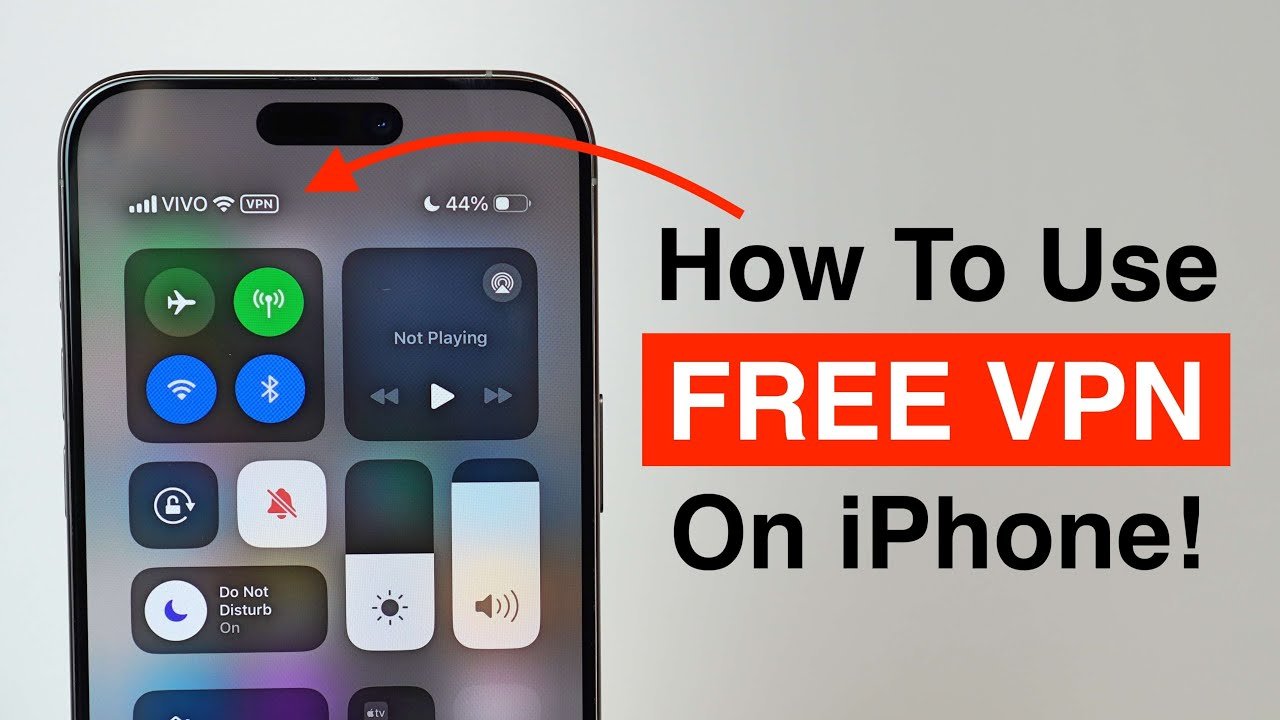
How to Set Up a VPN on iPhone (Standard VPN vs V2Ray Configuration)
Setting up a VPN on iPhone can range from a simple one-tap process to a more advanced configuration, depending on the solution you choose. Understanding these setup paths is essential for users who want the best VPN for iPhone, because ease of setup often comes at the cost of control, while advanced setups offer superior performance and privacy when done correctly.
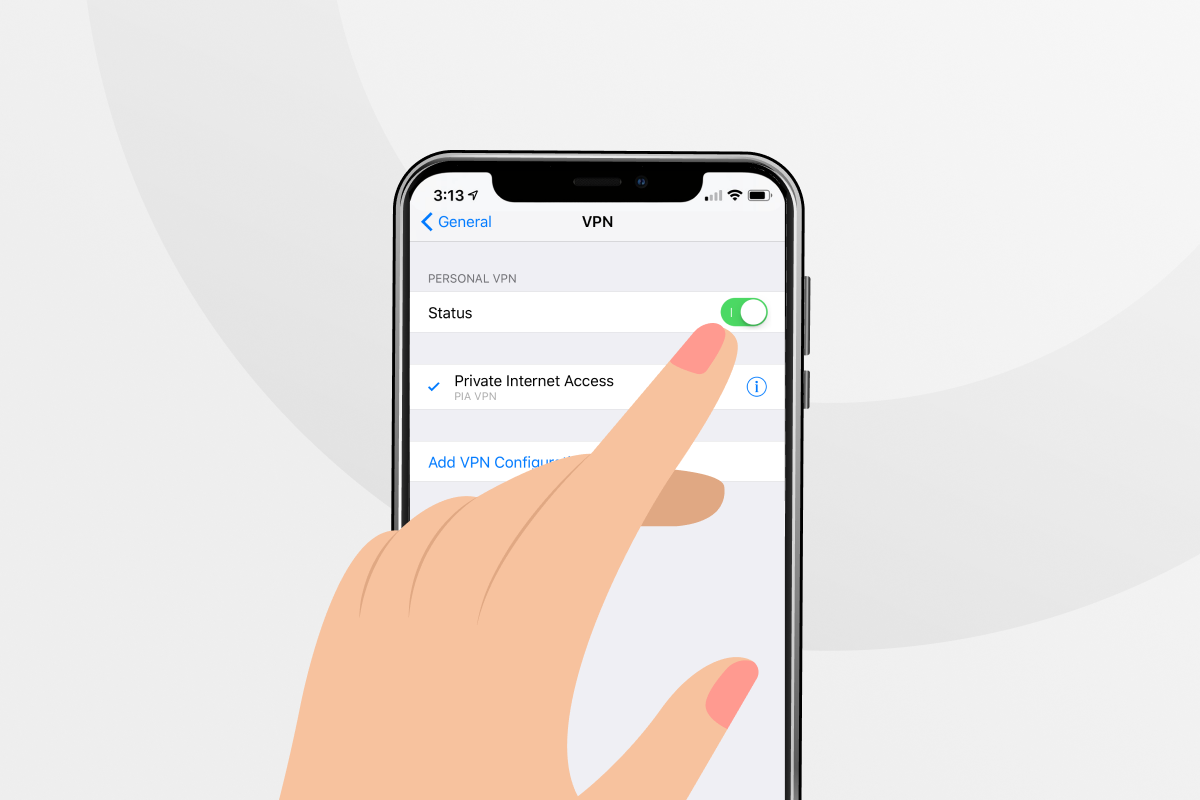
For most users, the standard VPN app-based setup is the most familiar option. After purchasing a VPN subscription, the provider supplies an iOS app available through the App Store. Once installed, the app uses Apple’s Network Extension framework to request VPN permissions. After approval, the VPN can be activated with a single tap. This approach is convenient and works well for users who value simplicity, automatic updates, and minimal configuration. However, the downside is limited transparency—users rarely see how traffic is routed, how credentials are handled, or how IP rotation is managed.
Another commonly supported method is manual VPN configuration via iOS settings, typically using IKEv2 or IPsec profiles. In this case, users manually enter server addresses, authentication credentials, and encryption settings under the iOS VPN configuration panel. This method offers slightly more control than app-based setups and reduces reliance on third-party apps, but it still operates within the constraints of traditional VPN protocols and centralized infrastructure.
For advanced users, V2Ray configuration on iPhone represents a fundamentally different approach. Instead of installing a conventional VPN app, users deploy a dedicated V2Ray client designed for iOS. These clients import configuration profiles that define protocol type, transport method, encryption, routing rules, and server identity. Once imported, the client establishes a secure tunnel using Apple’s supported networking interfaces, while presenting traffic in a way that closely resembles standard HTTPS communication.
The setup process for V2Ray on iPhone emphasizes precision and minimalism. Clean configurations—using modern transports, valid TLS parameters, and optimized routing rules—tend to perform best on iOS. Unlike traditional VPN apps, V2Ray clients do not rely on constant background polling or heavy UI layers. This makes them highly efficient, stable, and well-suited for continuous use, even under iOS’s strict background execution limits.
Verification is a critical step regardless of setup method. After activating a VPN or V2Ray configuration, users should confirm IP masking, DNS routing, and connection persistence. This involves switching between Wi-Fi and cellular data, locking and unlocking the device, and testing real-world apps. A correctly configured VPN for iPhone should maintain stable connectivity without leaks or noticeable performance drops.
Ultimately, the best setup method depends on user priorities. App-based VPNs offer speed and simplicity, while manual configurations provide modest control. V2Ray-based setups require more initial effort but deliver unmatched flexibility, stealth, and long-term reliability. For users seeking a fast, secure, and future-proof iOS VPN, understanding and choosing the right setup path is the final step before daily use.
In the next and final section, we will present a clear verdict on the best VPN for iPhone, summarizing why advanced, well-configured solutions consistently outperform conventional options in real-world iOS environments.
Final Verdict: Best VPN for iPhone – Fast, Secure & Future-Proof Choice
Choosing the best VPN for iPhone in 2026 is no longer about downloading the most popular app or trusting bold marketing claims. iOS has evolved, network filtering has become more advanced, and user expectations around privacy and performance are higher than ever. As this guide has shown, the real difference lies in architecture, control, and long-term reliability.
Traditional VPN apps—both free and paid—can still serve basic needs, but they come with structural limitations. Shared infrastructure, predictable traffic patterns, limited protocol flexibility, and dependency on centralized providers make them increasingly fragile under modern network conditions. On iPhone, where background behavior and network transitions are tightly controlled, these weaknesses become more visible over time.
In contrast, V2Ray-based solutions represent the most advanced and resilient option for iPhone users who prioritize speed, stability, and privacy. By disguising encrypted traffic as normal HTTPS communication, using modern transports, and allowing precise configuration, V2Ray avoids many of the detection and congestion issues that plague conventional VPNs. When deployed correctly, it delivers consistent performance across streaming, messaging, cloud services, and everyday usage—without excessive battery drain or instability.
Security is another decisive factor. A properly configured V2Ray setup removes the need to blindly trust third-party logging policies and shared authentication systems. Instead, it offers direct control over credentials, routing, and data exposure. For privacy-conscious users, this shift from provider trust to technical assurance is critical.
That said, the “best” VPN choice ultimately depends on user intent. Casual users may prefer the simplicity of app-based VPNs, while professionals, remote workers, and users in restrictive network environments benefit far more from advanced solutions. What matters most is understanding that a VPN is not just an app—it is a networking foundation that must remain reliable as iOS, networks, and restrictions evolve.
In summary, if your goal is a fast, secure, and future-proof VPN for iPhone, the evidence is clear: advanced, iOS-optimized solutions—especially V2Ray-based deployments—offer the highest level of performance, privacy, and resilience available today. Choosing wisely now means fewer disruptions, stronger protection, and a significantly better iPhone experience in the long run.
Frequently Asked Questions
V2Ray is a technology designed to bypass internet censorship by using multiple protocols like WebSocket and TLS to disguise your traffic as regular web browsing. Unlike traditional VPNs that can be blocked by sophisticated firewalls, V2Ray’s advanced obfuscation techniques make it harder to detect and block.
Yes, using a VPN on iPhone is safe when the VPN is properly designed for iOS and follows a strict no-logs policy. A secure VPN encrypts your traffic, protects your IP address, and prevents network-level tracking, especially on public Wi-Fi and mobile networks.
A poorly optimized VPN can slow down your connection, but a fast VPN for iPhone can maintain—or even improve—performance by avoiding ISP throttling and optimizing routing. Protocol choice and server quality play a major role in speed on iOS.
Free VPNs are not recommended for iPhone users. Most free VPN apps rely on logging, ads, limited bandwidth, or unstable servers. On iOS, they often suffer from frequent disconnects and may expose users to privacy risks despite appearing “secure.”
For most users, WireGuard and IKEv2 are the best traditional VPN protocols for iPhone due to speed and stability. However, V2Ray-based protocols provide superior stealth, flexibility, and reliability in restrictive or filtered networks.
Yes, V2Ray can be used on iPhone through dedicated iOS clients that integrate with Apple’s Network Extension framework. When configured correctly, V2Ray offers faster speeds, better stability, and stronger resistance to detection than standard VPN apps.

